Booking and delivery for real estate photographers

Agents book themselves. You drive a smart route and deliver from one portal.

Runs in your browser. Nothing to install.

A house with a camera in front, a map with the day route behind it and a phone with delivered photos next to it 09:30 · 11:15
14days free trial
0installs: everything in the browser
300 MBper file, RAW included
2FAfor every account

From booking to download

01

Plan

Agents only book times that fit your day route. You see the road route and drive with Waze or Google Maps.

02

Edit

HDR, your own filters and Lightroom presets in one go. Or let the AI filter choose the settings per photo.

03

Deliver

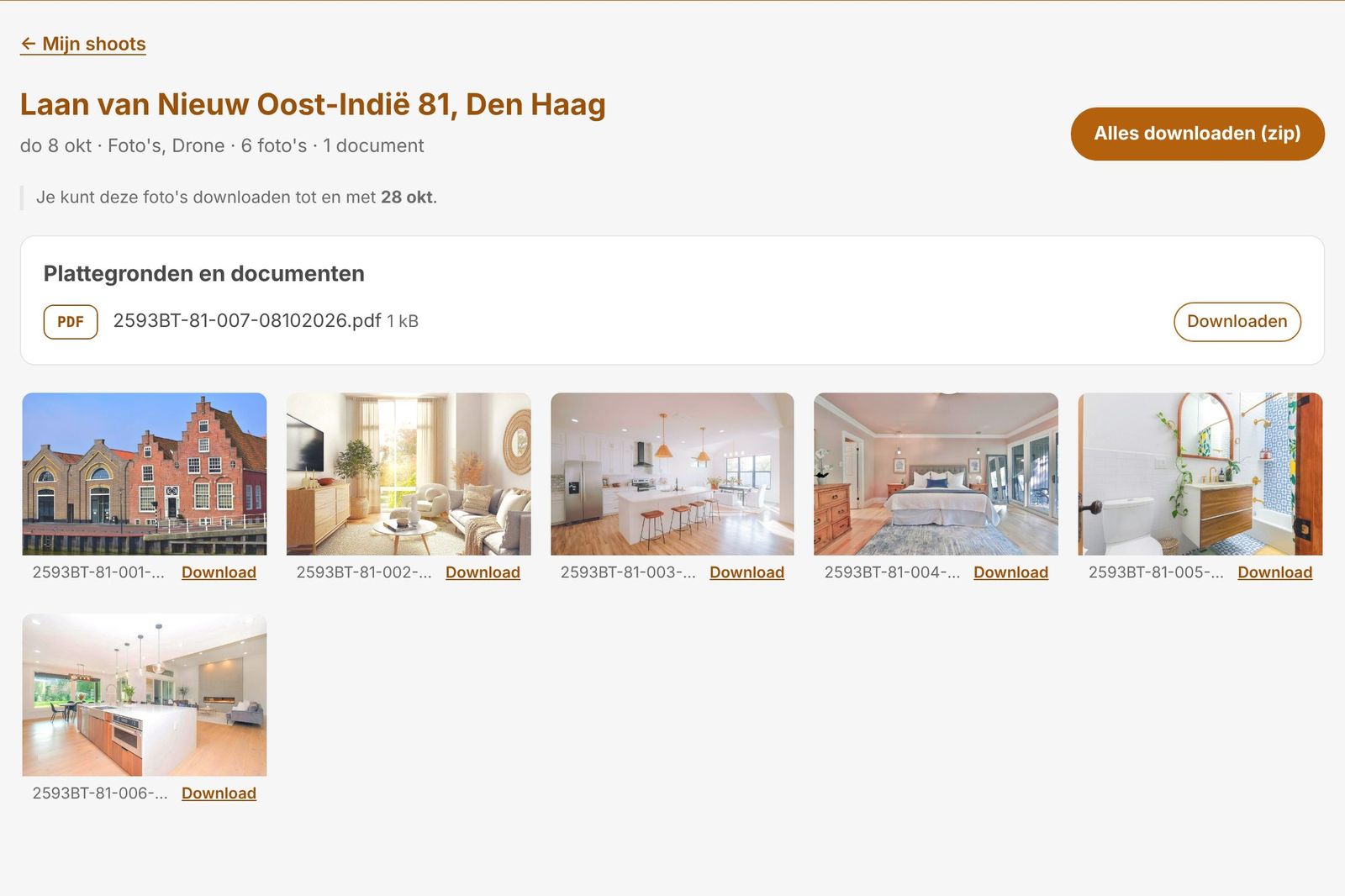
The agent gets notified and downloads everything, one by one or as a zip.

From dark to bright

Slide to see what HDR does: inside and outside well exposed at the same time.

A real Shootroute result: the darkest exposure of a bracket, and the merged HDR photo with the "Bright and light" filter. Photo: Unsplash.
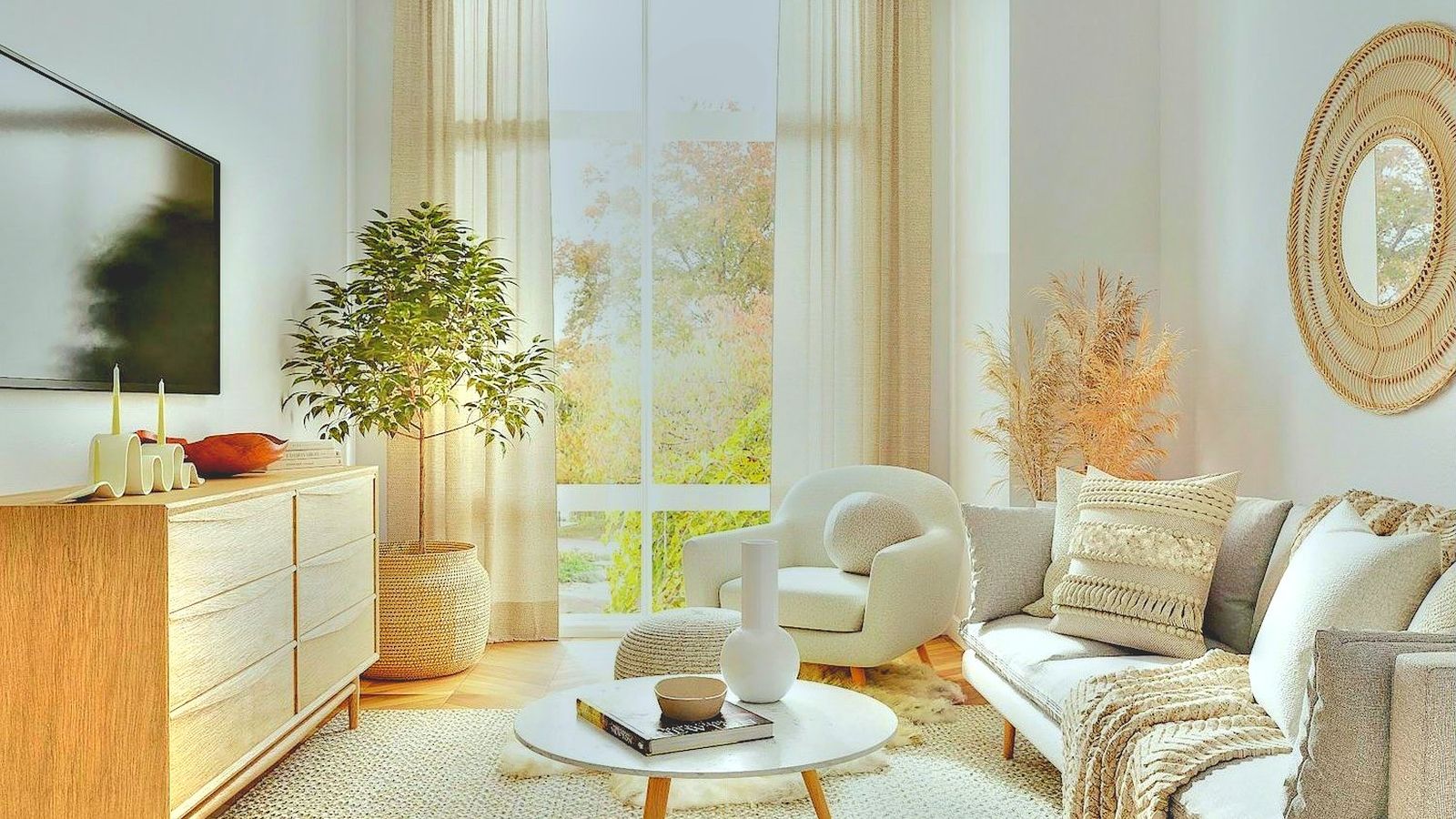
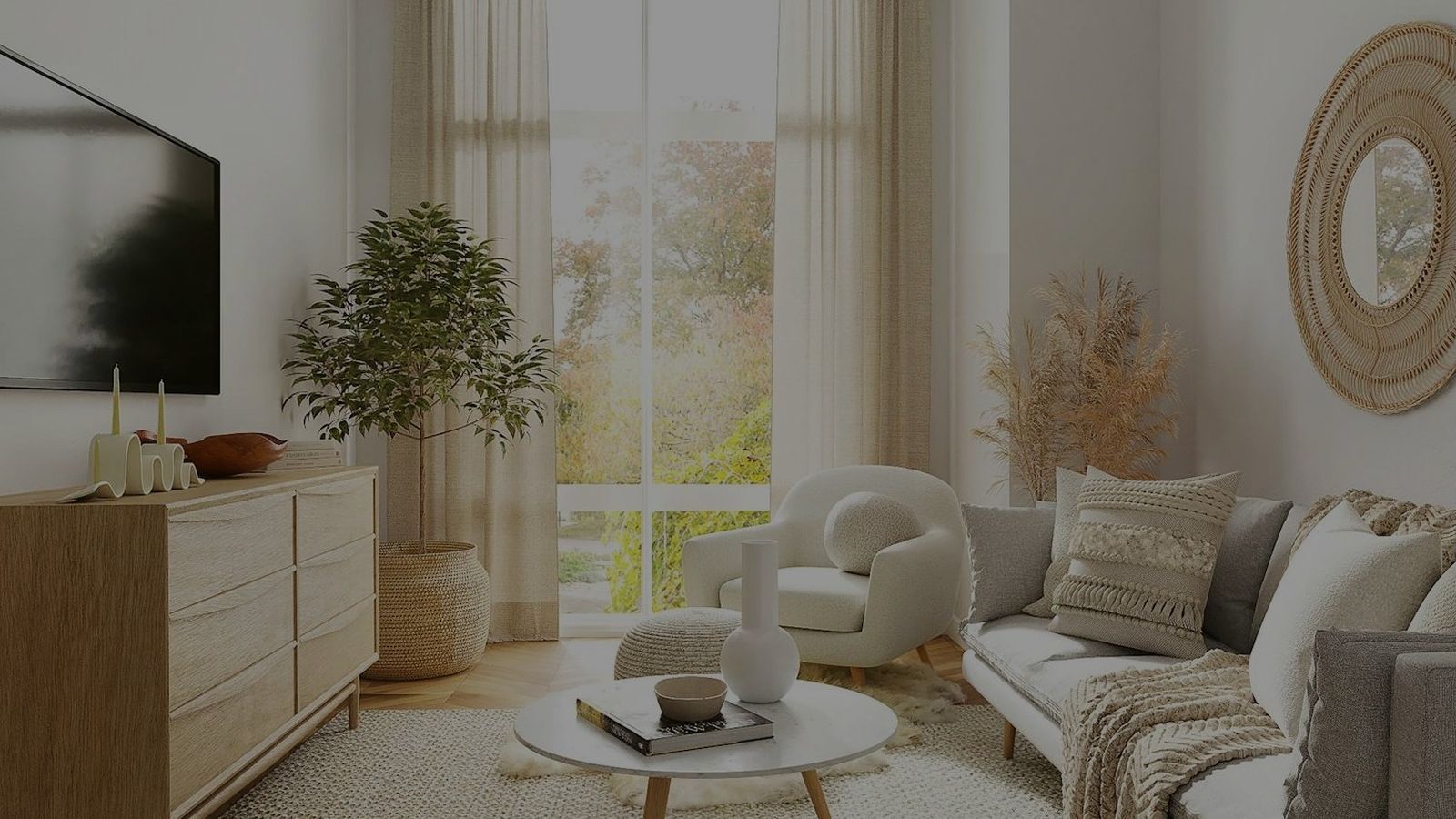
BeforeAfter

Everything in one portal

HDR
Presets
AI filter
Calendar
Your logo
Security
All details
Files and extensions
Drag everything from your memory card onto the shoot at once. Photos: .jpg .jpeg .png. RAW: .arw .cr3 .dng .raw. Floor plans: .pdf and Floorplanner .fml. Up to 300 MB per file. Photos are resized in the browser before uploading; for RAW, Shootroute uses the embedded JPG and keeps the original.
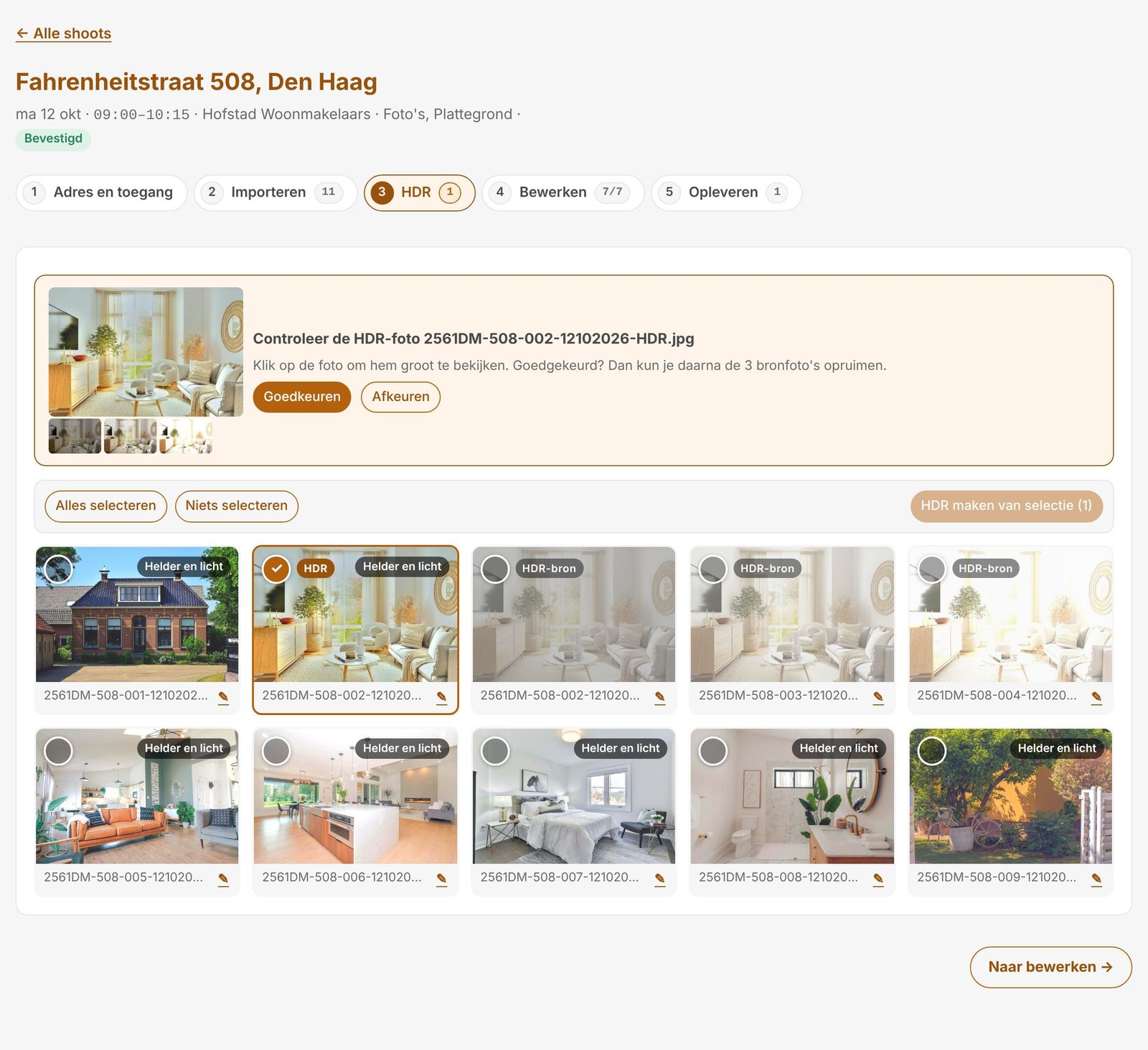
HDR
Bracketed exposures are detected after upload, aligned and merged into one JPG. You approve or reject the HDR photo; rejecting restores the separate photos. Not detected? Select 2 to 7 photos and choose "HDR from selection".
Your own filters
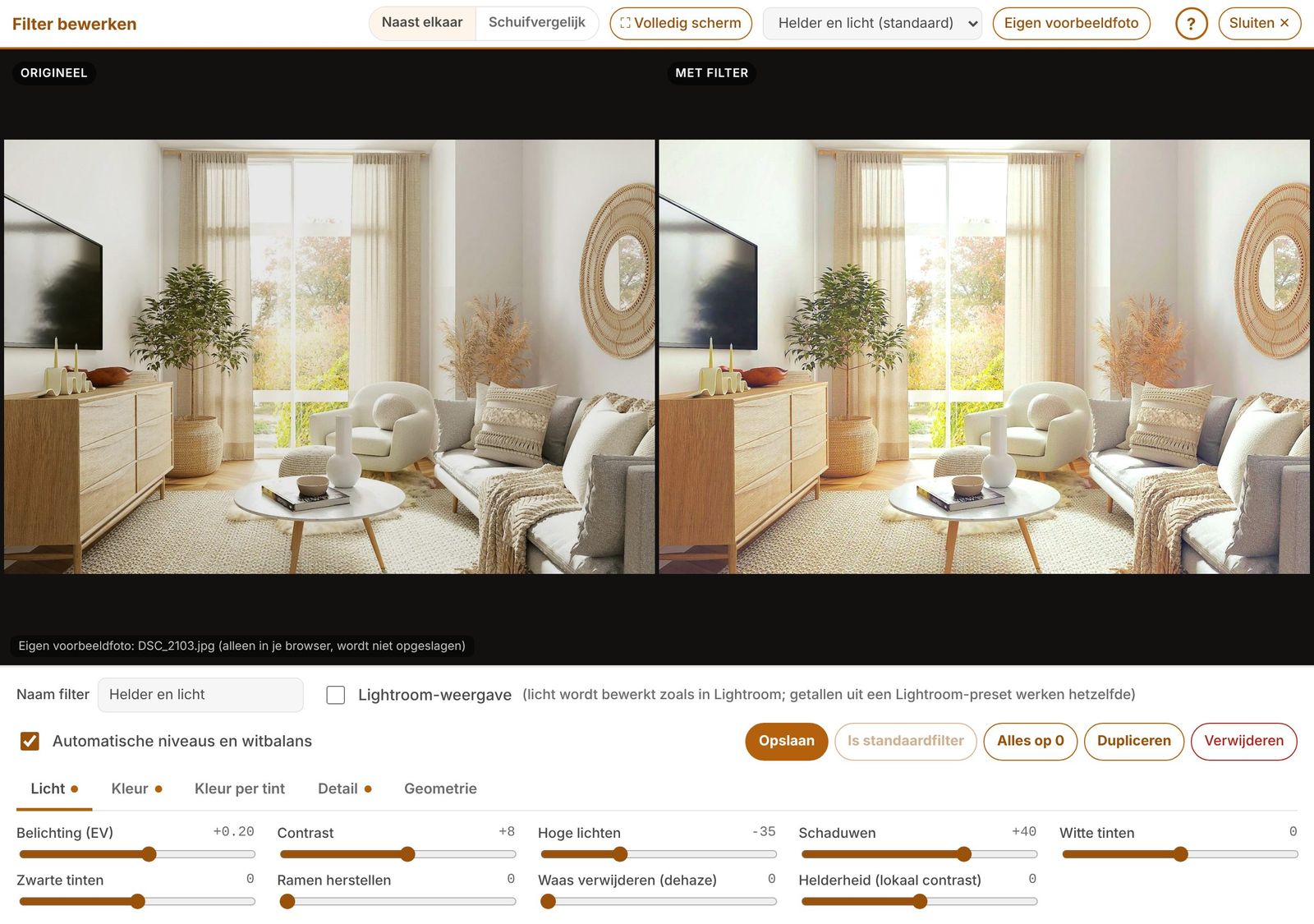
Exposure, contrast, highlights, shadows, whites and blacks, white balance, neutral white walls, colour per hue, sharpening, noise, vignette, straight lines and cropping. Side by side or with a slider, on your own sample photo. The original is always kept.
Lightroom presets
Export your preset in Lightroom (right-click › Export, an .xmp file) and import it under Settings › Photo filter. With "Lightroom view", exposure, highlights, shadows, whites and blacks behave as in Lightroom.
AI filter with Claude
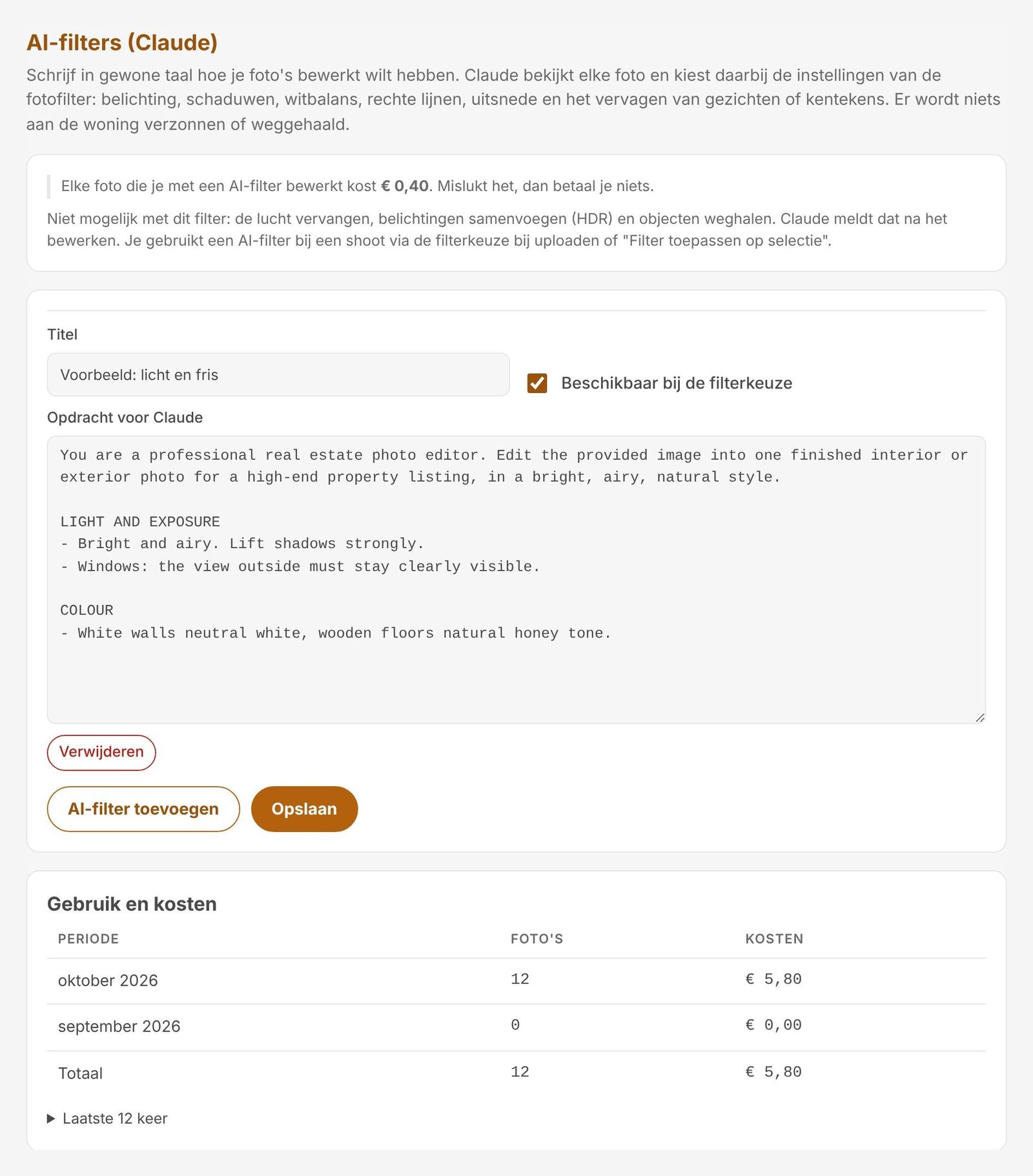
Describe in plain language how the photos should look, for example: "Light and fresh, windows not blown out, white walls neutral, straight lines, blur faces and licence plates." Claude, the AI model by Anthropic, picks the filter settings for each photo. Nothing about the property is invented or removed. You see the cost up front and pay per edited photo.
Calendar and route
Weekly calendar with travel time, day plan with the road route, print as PDF. Navigate per address with Waze, Google Maps or another app. Shoots in Google Calendar, Outlook/Microsoft 365 or Apple Calendar.
Your name and logo
Agents see your name, logo and colours, at yourname.shootroute.nl. Emails go out from your own address or via Shootroute.
Security
A separate, shielded environment per photographer; agents only see their own office. Two-step verification with an authenticator app, HTTPS, passwords never stored as text, login throttling and an activity log.

What it looks like

Real Shootroute screens with demo data (the photographer's side is in Dutch; agents can use English). Click to enlarge.
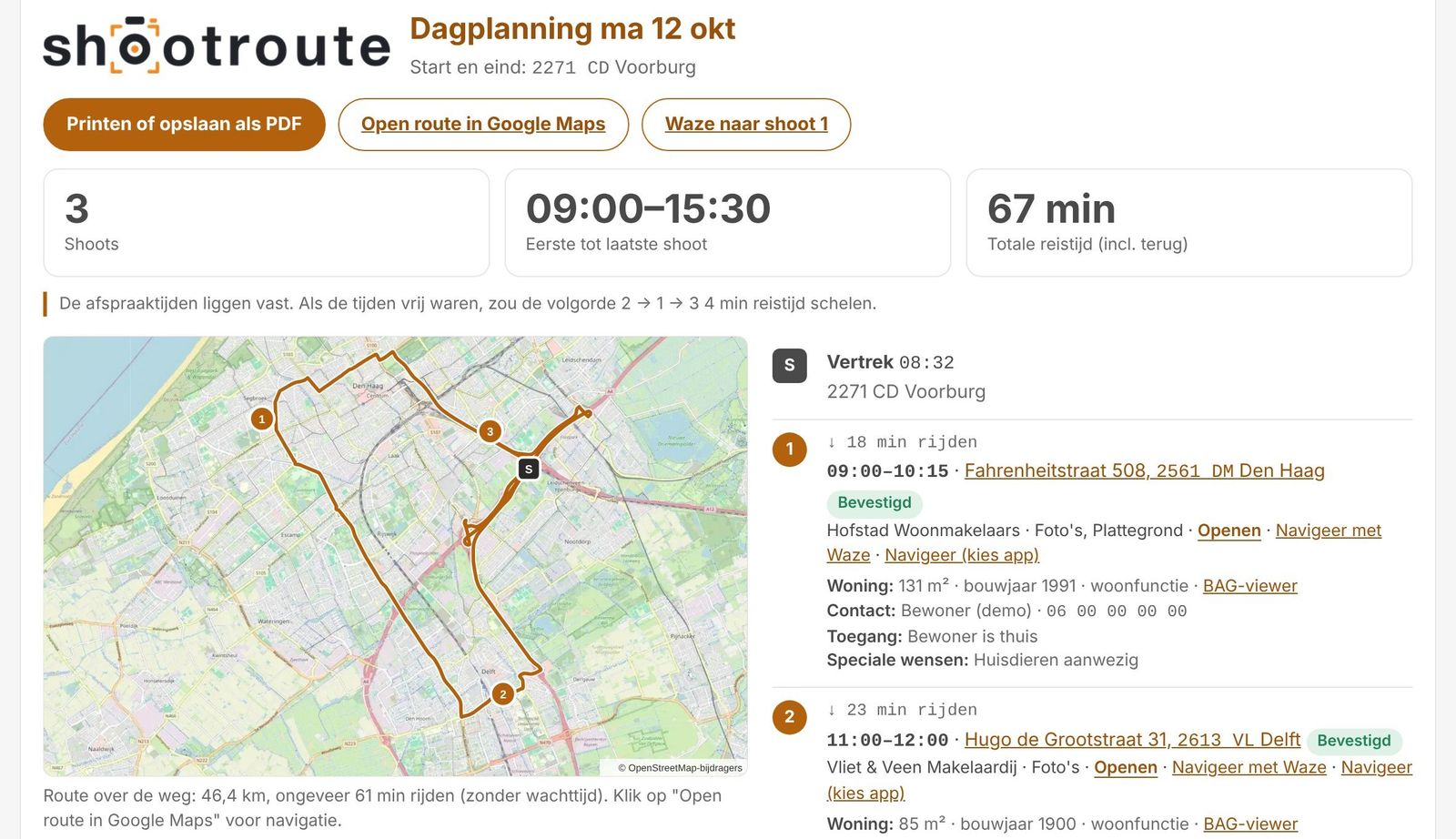
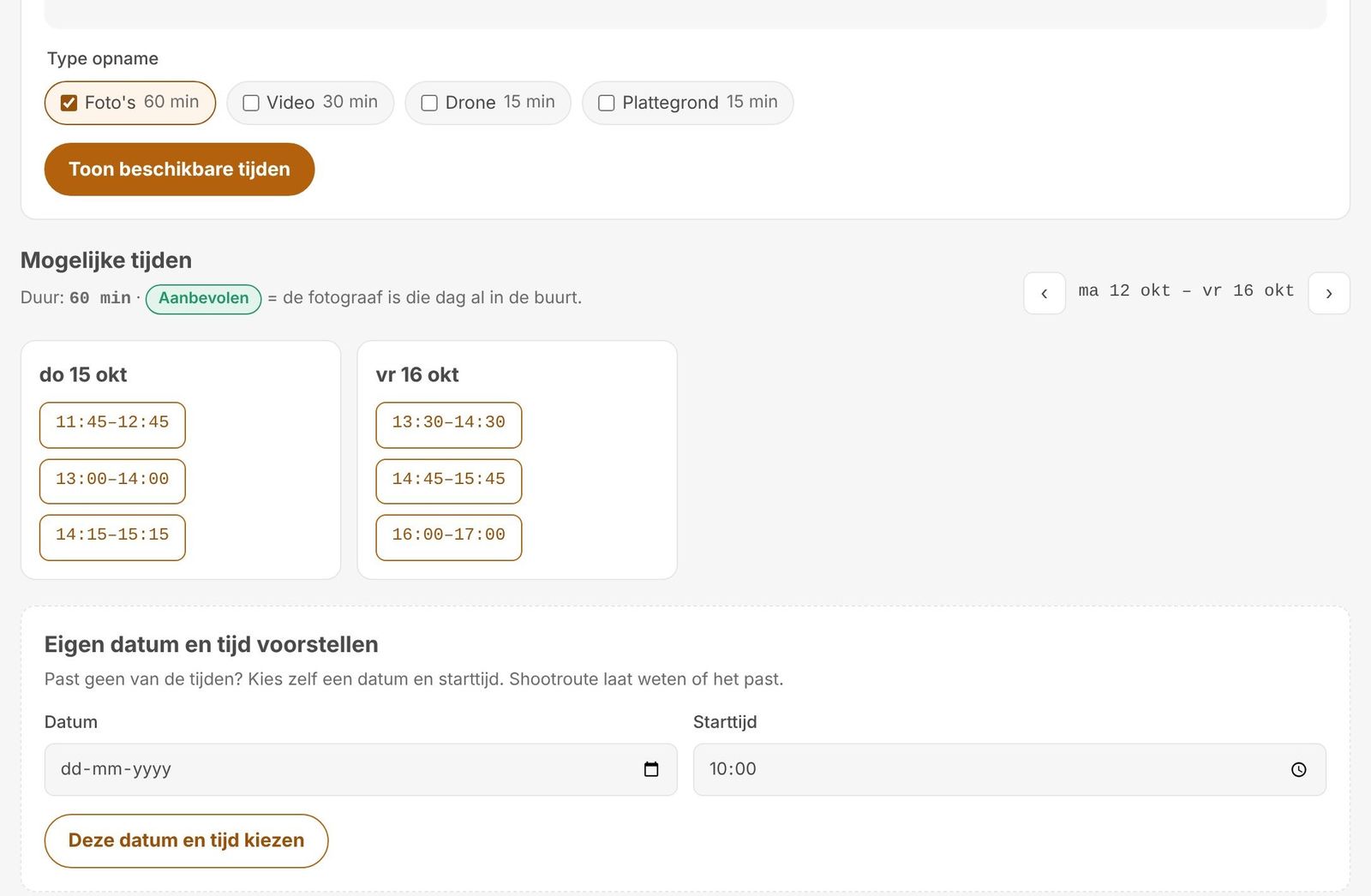
Day plan with the road route
The agent picks a time that fits
Check and approve the HDR photo
Your own filter, before and after
AI filter: the brief for Claude
The agent downloads everything

For everyone in the chain

Photographer

Less calling and emailing, more shooting. Planning, editing and delivery in one place.

Agent

Book yourself, get notified at every step, download yourself. In English or Dutch.

Office

Add colleagues, see all of the office's shoots in one overview, billing details in one place.

Free for the first 14 days

After that, choose a plan that fits your business: Basic, Pro or Studio. Feel free to ask for a quote.

BasicProStudio
Request pricing

Frequently asked questions

Do I need to install anything?

No. Shootroute runs in the browser on computer, tablet and phone.

Which files can I upload?

JPG and PNG, RAW (.arw, .cr3, .dng, .raw), PDF and Floorplanner (.fml), up to 300 MB per file.

Do I need Lightroom?

No. Importing, HDR, filters and delivery all happen in Shootroute. Already have a Lightroom preset? Import it as .xmp.

Does it work with my calendar?

Yes: Google Calendar, Outlook/Microsoft 365 and Apple Calendar.

Will agents see my own name?

Yes: your name, logo and colours, at your own address.

How does the AI filter work?

You describe in plain language how the photos should look. Claude picks the settings per photo; no images are generated. You pay per edited photo; if it fails, you pay nothing.

Who can see my data?

Every photographer has a separate, shielded environment. Agents only see the shoots of their own office.

Which languages?

The agent portal is in Dutch and English. The photographer's side is in Dutch for now.

What happens after 14 days?

You decide whether to continue and with which plan. We agree on that together.

Can I see a demo first?

Yes. Leave your details below or email contact@shootroute.nl.

Curious how Shootroute works for you?

We are happy to show you in a short online demo. After that you can try it yourself in a trial environment with demo agents.

Prefer to email? contact@shootroute.nl

We usually reply within one working day.

We only use your details to reply to your message.

Log in to your environment

Every photographer has their own address. Enter the name of your environment.

.shootroute.nl

Forgot the address? It is in your invitation email.